Smart home tech transforms ordinary houses into connected, automated living spaces. Homeowners can control lights, thermostats, locks, and cameras from their smartphones or voice assistants. The global smart home market reached $121 billion in 2024, and adoption rates continue to climb. Getting started doesn’t require technical expertise or a massive budget. This guide covers everything beginners need to know about smart home technology, from basic concepts to device selection and setup strategies.
Table of Contents
ToggleKey Takeaways
- Smart home tech connects everyday devices to the internet, allowing remote control through apps or voice commands like Alexa, Google Assistant, or Siri.
- Start with essential devices like smart speakers, lighting, thermostats, and plugs to build a solid foundation without overspending.
- Choose one voice assistant ecosystem (Amazon, Google, or Apple) to avoid compatibility issues between devices.
- Automation routines unlock the real power of smart home tech by triggering multiple actions with a single command or sensor.
- Secure your smart home network with strong passwords, two-factor authentication, and a separate Wi-Fi network for connected devices.
- Start small, master a few devices, and expand gradually to ensure smart home technology simplifies your life rather than complicates it.
Understanding Smart Home Technology Basics
Smart home tech connects everyday devices to the internet and allows remote control through apps or voice commands. These devices communicate using wireless protocols like Wi-Fi, Zigbee, Z-Wave, or Bluetooth. Each protocol has strengths, Wi-Fi offers easy setup, while Zigbee and Z-Wave consume less power and create mesh networks for better range.
A smart home hub acts as the central brain of your system. Popular options include Amazon Echo, Google Nest Hub, and Apple HomePod. These hubs let different devices work together, even if they use different protocols. Some smart home tech operates independently without a hub, but a central controller makes automation much easier.
Voice assistants power most smart home experiences. Amazon Alexa, Google Assistant, and Apple Siri each have their own ecosystems. They respond to spoken commands and can trigger multiple devices at once. For example, saying “Good morning” might turn on lights, start the coffee maker, and read the day’s weather forecast.
Smart home tech also relies on automation routines. Users create “if this, then that” rules that trigger actions automatically. Motion sensors can turn on hallway lights. Door sensors can send alerts when someone enters. Temperature changes can adjust the thermostat. These automations save time and energy while adding convenience.
Essential Smart Home Devices for Beginners
Starting a smart home doesn’t require buying everything at once. A few key devices create a solid foundation that grows over time.
Smart Speakers and Displays
Smart speakers serve as the command center for most smart home setups. The Amazon Echo Dot costs around $50 and provides full Alexa functionality. Google Nest Mini offers similar features for Google Assistant fans. Smart displays add visual feedback and video calling capabilities. These devices control other smart home tech through voice commands.
Smart Lighting
Smart bulbs offer the easiest entry point into home automation. Philips Hue, LIFX, and Wyze bulbs let users adjust brightness, color, and scheduling through apps. Smart switches replace traditional wall switches and control existing bulbs. They cost more upfront but work with any light fixture and don’t require special bulbs.
Smart Thermostats
Smart thermostats like the Nest Learning Thermostat or Ecobee save money on energy bills. They learn household schedules and adjust temperatures automatically. Remote control means no more heating an empty house. Most users recover the device cost through energy savings within two years.
Smart Plugs
Smart plugs convert any outlet into a smart outlet. They cost $10-25 each and add smart home tech capabilities to lamps, fans, and small appliances. Voice control and scheduling transform “dumb” devices into automated ones instantly.
Smart Security
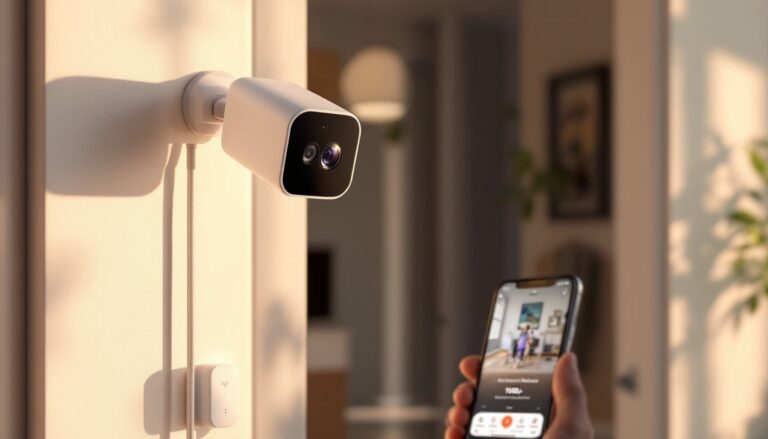
Video doorbells like Ring or Nest Hello show visitors before opening the door. Smart locks allow keyless entry and remote access for guests. Indoor and outdoor cameras provide monitoring and recording. These devices add security and peace of mind to any smart home setup.
Setting Up Your Smart Home Ecosystem
Planning prevents frustration when building a smart home. Start by choosing a primary voice assistant ecosystem. Amazon, Google, and Apple each offer distinct advantages. Amazon has the widest device compatibility. Google excels at answering questions and integrating with Android phones. Apple provides the strongest privacy protections but supports fewer third-party devices.
Stick with one ecosystem when possible. Mixing platforms creates compatibility headaches. A device that works with Alexa might not work with Google Assistant. Check compatibility before purchasing any smart home tech.
Wi-Fi network strength matters for smart home performance. Each device adds load to the router. A mesh Wi-Fi system like Eero or Google Wifi provides consistent coverage throughout the house. Position the router centrally and keep it away from interference sources like microwaves and cordless phones.
Install devices one at a time. Download the manufacturer’s app, create an account, and follow setup instructions. Most smart home tech uses QR codes or Bluetooth for initial pairing. After setup, add the device to your voice assistant app for voice control.
Organize devices into rooms within your smart home apps. This grouping allows commands like “turn off the bedroom lights” instead of naming each bulb. Create device groups for common actions, “downstairs lights” or “all cameras.” Good organization makes smart home tech easier to use and manage.
Tips for Maximizing Your Smart Home Experience
Automation routines unlock the real power of smart home tech. Build routines around daily activities. A “leaving home” routine might lock doors, turn off lights, adjust the thermostat, and arm the security system with one command. A “movie time” routine dims lights, closes blinds, and turns on the TV.
Use schedules for predictable events. Porch lights can turn on at sunset automatically. The thermostat can lower temperatures during work hours. Coffee makers can start brewing before the alarm goes off. Schedules reduce manual interaction with smart home devices.
Sensor-based automation adds intelligence. Motion sensors trigger lights in hallways and closets. Door sensors can pause music when someone leaves a room. Water leak sensors send instant alerts to prevent damage. These automations respond to real conditions rather than fixed schedules.
Keep firmware updated on all devices. Manufacturers release updates that fix bugs, patch security holes, and add features. Enable automatic updates when available. Check for updates monthly on devices that require manual installation.
Secure your smart home network. Use strong, unique passwords for each device and app. Enable two-factor authentication wherever offered. Create a separate Wi-Fi network for smart home tech to isolate it from computers and phones. These steps protect against hackers and unauthorized access.
Start small and expand gradually. Master a few devices before adding more. This approach prevents overwhelm and helps identify what works for your household. Smart home tech should simplify life, not complicate it.