Smart home tech for beginners doesn’t have to feel overwhelming. In fact, turning a regular house into a connected home is easier than most people think. Smart devices let homeowners control lights, locks, thermostats, and more, all from a phone or with a simple voice command. This guide breaks down the basics of smart home technology, highlights the best devices to start with, and explains how to set everything up without a tech degree.
Table of Contents
ToggleKey Takeaways
- Smart home tech for beginners starts best with a smart speaker, which serves as a central hub for controlling other connected devices.
- Smart bulbs and smart plugs offer affordable entry points, with prices starting under $15 and $10 respectively.
- Choose one ecosystem (Amazon Alexa, Google Home, or Apple HomeKit) and stick with it to avoid compatibility issues.
- Create automated routines like “Good Morning” or “Goodnight” to control multiple devices with a single voice command.
- Look for “Works with” labels or Matter certification when buying devices to ensure seamless integration with your smart home setup.
- Most smart home devices are DIY-friendly and can be set up in minutes using step-by-step app instructions.
What Is Smart Home Technology?
Smart home technology refers to devices that connect to the internet and can be controlled remotely. These gadgets communicate with each other and with smartphones or voice assistants to automate everyday tasks.
At its core, smart home tech works through a wireless connection, usually Wi-Fi, Bluetooth, Zigbee, or Z-Wave. A user sends a command through an app or voice assistant, and the device responds. Want the living room lights dimmed at 7 PM every night? Smart home tech handles that automatically.
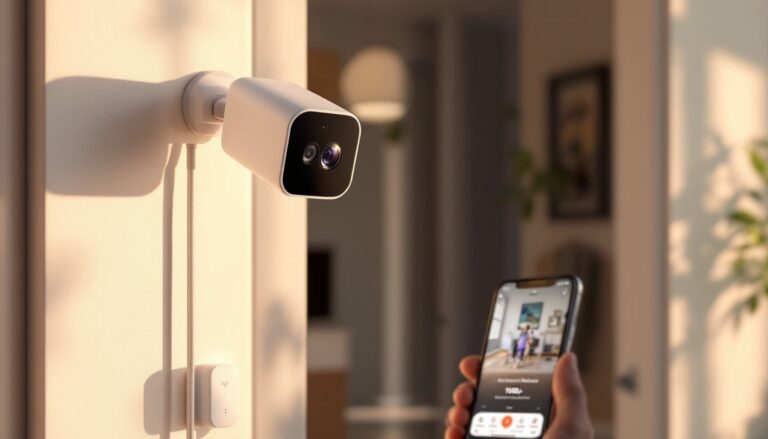
The benefits go beyond convenience. Smart home devices can improve energy efficiency by turning off lights and adjusting thermostats when no one’s home. They also add a layer of security through smart locks and cameras. For beginners interested in smart home tech, the learning curve is surprisingly gentle. Most devices come with step-by-step app instructions that guide users through setup in minutes.
Smart home technology has become more affordable too. Entry-level smart bulbs cost under $15, and basic smart plugs often run less than $10. This accessibility makes smart home tech for beginners a practical starting point for anyone curious about home automation.
Essential Smart Home Devices to Start With
Not all smart devices are created equal, and beginners shouldn’t try to automate everything at once. Starting with a few foundational gadgets makes the process manageable and builds confidence.
Smart Speakers and Voice Assistants
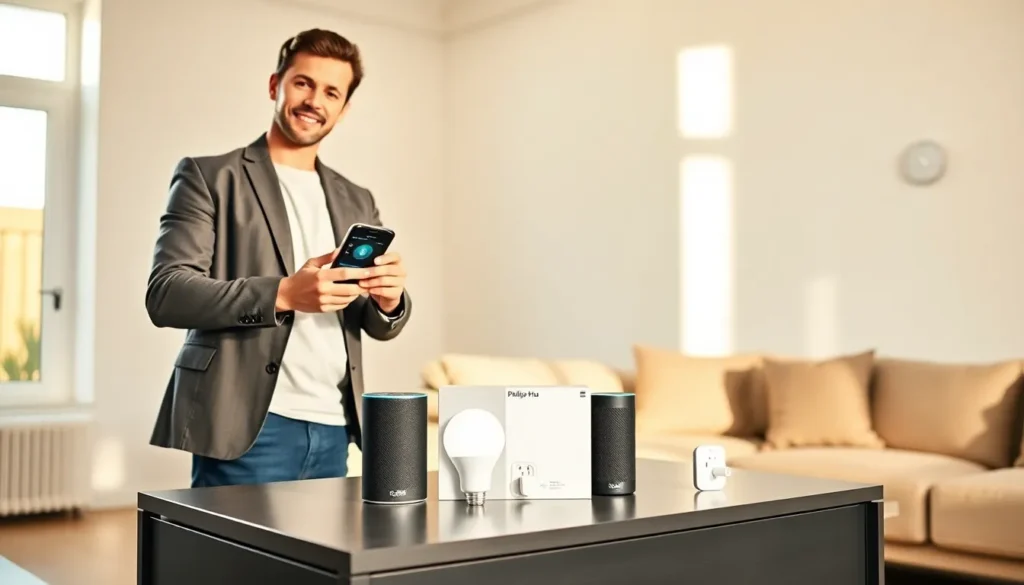
A smart speaker serves as the central hub for most smart home setups. Devices like Amazon Echo, Google Nest, and Apple HomePod respond to voice commands and control other connected gadgets.
Voice assistants let users play music, check the weather, set timers, and manage smart home devices, all hands-free. They’re also surprisingly good at answering random questions. (Yes, they know how many ounces are in a gallon.)
For smart home tech beginners, a smart speaker is often the best first purchase. It creates a foundation that other devices can connect to, and it introduces users to voice control without requiring technical expertise. Most smart speakers cost between $30 and $100, making them an affordable entry point.
Smart Lighting and Plugs
Smart lighting transforms how people interact with their homes. Smart bulbs from brands like Philips Hue, LIFX, and Wyze screw into existing fixtures and connect to Wi-Fi or a dedicated hub. Users can then control brightness, color, and schedules through an app or voice command.
The appeal is obvious: no more getting out of bed to turn off a forgotten light. Smart lighting also supports routines, lights can gradually brighten in the morning to simulate sunrise or dim automatically at bedtime.
Smart plugs offer similar convenience at an even lower cost. These devices plug into standard outlets and turn regular appliances into smart ones. A lamp, fan, or coffee maker connected to a smart plug can be controlled remotely or set on a schedule. For beginners exploring smart home tech, smart plugs provide instant gratification with minimal investment.
How to Set Up Your First Smart Home System
Setting up smart home tech doesn’t require professional installation. Most devices are designed for DIY setup, and the process follows a similar pattern across brands.
First, choose an ecosystem. The three major platforms are Amazon Alexa, Google Home, and Apple HomeKit. Each has strengths: Alexa offers the widest device compatibility, Google excels at answering questions and integrating with Android, and HomeKit prioritizes privacy and works seamlessly with Apple devices. Beginners should pick one ecosystem and stick with it, mixing platforms can create compatibility headaches.
Next, download the corresponding app. The Alexa app, Google Home app, or Apple Home app will guide users through adding devices. Most smart gadgets require connecting to Wi-Fi, scanning a QR code, or pressing a pairing button.
After adding devices, create routines. Routines are automated sequences triggered by time, location, or voice command. A “Good Morning” routine might turn on lights, read the weather forecast, and start the coffee maker. A “Goodnight” routine could lock doors, turn off all lights, and set the thermostat.
Smart home tech for beginners becomes intuitive once the first few devices are connected. The apps handle most of the complexity, and voice control makes daily use effortless.
Tips for Choosing Compatible Devices
Compatibility matters more than brand loyalty in smart home tech. A device that doesn’t work with the chosen ecosystem will cause frustration.
Before purchasing, check the product packaging or description for compatibility logos. Look for “Works with Alexa,” “Works with Google Home,” or “Works with Apple HomeKit” labels. These certifications confirm the device will integrate smoothly.
Matter is a newer standard worth knowing about. Launched in 2022, Matter is a universal protocol that allows smart devices from different manufacturers to communicate regardless of ecosystem. Devices with Matter certification work across Alexa, Google Home, and HomeKit. As more products adopt Matter, compatibility concerns will shrink.
Beginners should also consider hub requirements. Some devices, like certain Philips Hue bulbs, need a separate hub to function. Others connect directly to Wi-Fi. Hub-based systems often offer faster response times and don’t clog the home network, but they add cost and complexity. For those just starting with smart home tech, Wi-Fi-based devices are usually simpler.
Finally, read reviews from actual users. Technical specifications tell part of the story, but real-world experiences reveal reliability issues, app bugs, and setup quirks. A few minutes of research can prevent buyer’s remorse.