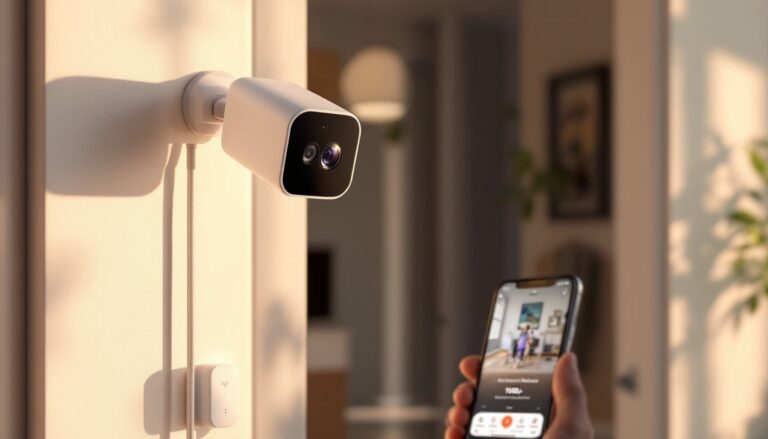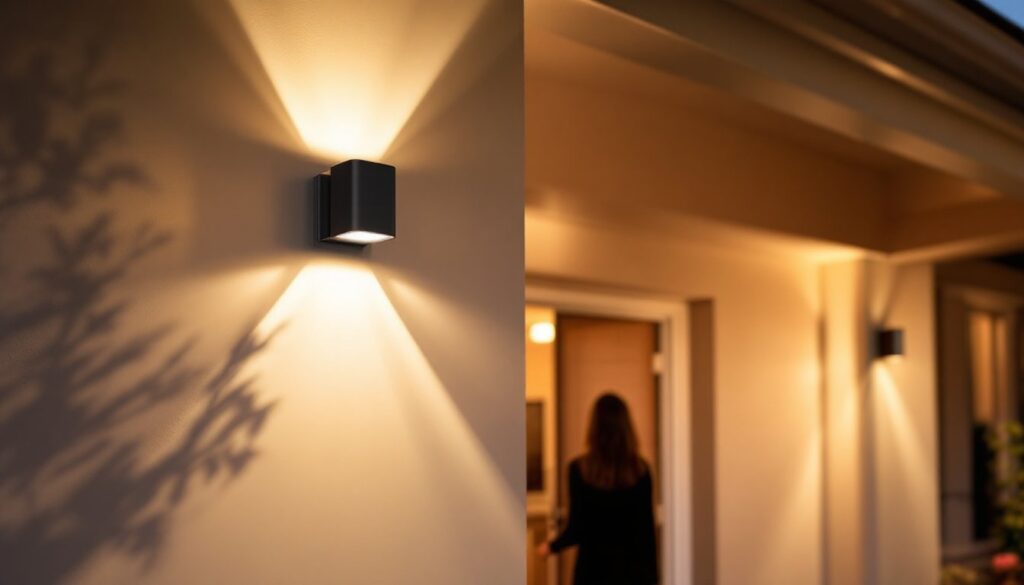
If you’ve ever fumbled for a light switch in the dark or worried about exterior security after sunset, wireless motion sensor lights solve both problems without rewiring your home. These battery-powered fixtures detect movement and illuminate instantly, eliminating the need for hardwired installation or complicated switches. Whether you’re securing an entryway, lighting a garage, or adding convenience to a hallway, wireless motion sensor lights are one of the easiest smart home upgrades a DIYer can tackle. Unlike traditional motion lights that require an electrician and permit work, these plug-and-play units let you add security and efficiency in an afternoon.
Table of Contents
ToggleKey Takeaways
- Wireless motion sensor lights use PIR technology to detect movement and activate instantly without requiring electrical rewiring or professional installation.
- LED wireless motion sensor lights consume 5–15 watts compared to 60+ watts for traditional bulbs, with batteries lasting 6–12 months and delivering significant long-term energy savings.
- Motion-activated lighting enhances home security by eliminating dark entry points, deters potential intruders, and can integrate with smart home systems for remote monitoring and push notifications.
- Proper installation requires mounting fixtures 6–10 feet high, using appropriate anchors for your wall type, and testing detection range in darkness to ensure optimal performance.
- Choose fixtures based on your space: hallways need 400–800 lumens, exterior entry points require 1000+ lumens, and weatherproof IP65-rated models are essential for outdoor use.
What Are Wireless Motion Sensor Lights and How Do They Work?
Wireless motion sensor lights are self-contained fixtures powered by batteries or rechargeable lithium cells. Instead of connecting to your home’s electrical panel, they operate independently with built-in PIR (passive infrared) sensors that detect heat signatures from moving people or animals.
When motion is detected within the sensor’s range, typically 20 to 40 feet depending on the model, the internal microprocessor triggers the LED bulbs to turn on. Most units stay lit for a preset duration (usually 30 seconds to 5 minutes) before shutting off automatically to conserve battery life. Some advanced models include adjustable sensitivity and timer controls, so you can customize how the light responds to movement.
The wireless part is the key advantage. There’s no running wire behind walls, no breaker panel access, and no licensed electrician required. A mounting bracket, some drywall anchors, and a drill are all you need. These lights are perfect for renters, temporary installations, or areas where running electrical would be impractical or expensive.
Key Benefits for Homeowners and DIY Installers
Energy Efficiency and Cost Savings
Wireless motion sensor lights use LED technology, which consumes far less power than incandescent or halogen alternatives. A typical LED motion light draws only 5–15 watts compared to 60+ watts for traditional bulbs. Because the light activates only when motion is detected, you’re not paying to illuminate empty spaces around the clock.
Batteries typically last 6 to 12 months depending on usage frequency and ambient temperature. Rechargeable units cost more upfront but eliminate ongoing battery replacement. Over time, the reduction in wasted lighting and minimal maintenance makes these fixtures a smart financial choice. For exterior fixtures, you’ll save even more because you’re not leaving porch lights running all night.
Enhanced Home Security and Convenience
Motion-activated lighting deters potential intruders by eliminating dark entry points and signaling that someone’s home. When a visitor approaches, the light comes on automatically, no fumbling for switches. Inside the home, hallway and bathroom motion lights add safety and convenience, especially for older residents or children who don’t want to navigate in darkness.
Many wireless models integrate with smart home systems via WiFi or Bluetooth, letting you monitor activity, adjust settings, or control lights remotely from your phone. Some even send push notifications when motion is detected, adding an extra layer of security awareness. According to recent smart home technology news and reviews on Digital Trends, homeowners are increasingly adopting motion-activated fixtures as a first step toward broader home automation.
Choosing the Right Wireless Motion Sensor Light for Your Space
Start by identifying where you need the light. Entryways, garages, and dark hallways are classic applications. Next, assess your environment. Outdoor fixtures must be weatherproof (IP65 rating or higher) to handle rain, snow, and temperature swings. Indoor hallway lights can be less rugged but should still resist dust.
Check the detection range. If your driveway is 50 feet from the door, a 25-foot-range sensor won’t cut it. Conversely, a 60-foot-range light in a small bathroom wastes battery and triggers false activations. Look at brightness. Motion lights are measured in lumens: 400–800 lumens is suitable for hallways and stairwells, while exterior entry points benefit from 1000+ lumens.
Battery life and power source matter significantly. Alkaline batteries are cheap but require frequent replacement. Rechargeable lithium units cost more but reduce waste and long-term hassle. Some premium models use solar panels for outdoor placement, eliminating batteries altogether.
Read product reviews on home security and safety guides from Good Housekeeping or home technology buying guides on Tom’s Guide to compare real-world performance, brightness consistency, and reliability. Look for models with adjustable timer settings (30 seconds to 10 minutes) and sensitivity control to fine-tune performance and avoid nuisance activations from pets or trees swaying in wind.
Installation and Setup Tips for DIY Success
Installation is straightforward, but prep work matters. First, choose a mounting location at least 6–10 feet high (for exterior fixtures) to avoid false triggers from low-moving objects and to maximize detection range. Indoors, mount hallway lights in corners or above doorways where they’ll detect approaching traffic.
Measure twice. Use a level to mark mounting holes. If you’re fastening to drywall, use expansion anchors rated for the light’s weight (typically 1–3 pounds). For concrete or masonry, use lag bolts or concrete anchors. Locate studs with a stud finder if mounting to framed walls, studs support weight better than drywall alone.
Drill pilot holes before inserting anchors: this prevents cracking and makes insertion easier. Mount the bracket, then attach the fixture itself. Ensure the sensor lens faces the area you want to monitor, debris and spider webs block detection, so wipe the lens every few months.
Before powering on, review the settings. Most models have small toggle switches or a programming mode for adjusting sensitivity and timeout duration. Start with medium sensitivity to minimize false activations, then increase if needed. Install fresh batteries or charge rechargeable cells fully.
Test in darkness. Walk in front of the sensor to confirm it detects motion and the light stays on for your intended duration. If the light won’t activate, check battery orientation and connections. If it triggers constantly, lower the sensitivity.
For smart-enabled models, download the companion app and follow pairing instructions. Most connect via standard WiFi or Bluetooth in minutes. Once paired, you can monitor activity logs and adjust schedules from your phone, adding convenience and security insight to your home.
Conclusion
Wireless motion sensor lights are a practical upgrade that improves security, cuts energy waste, and requires no electrical work. By choosing the right fixture for your space and investing 30 minutes in careful installation, you’ll enjoy reliable, hands-free lighting for years. Whether you’re a first-time DIYer or a seasoned renovator, motion sensor lights prove that the smartest home improvements are often the simplest ones.