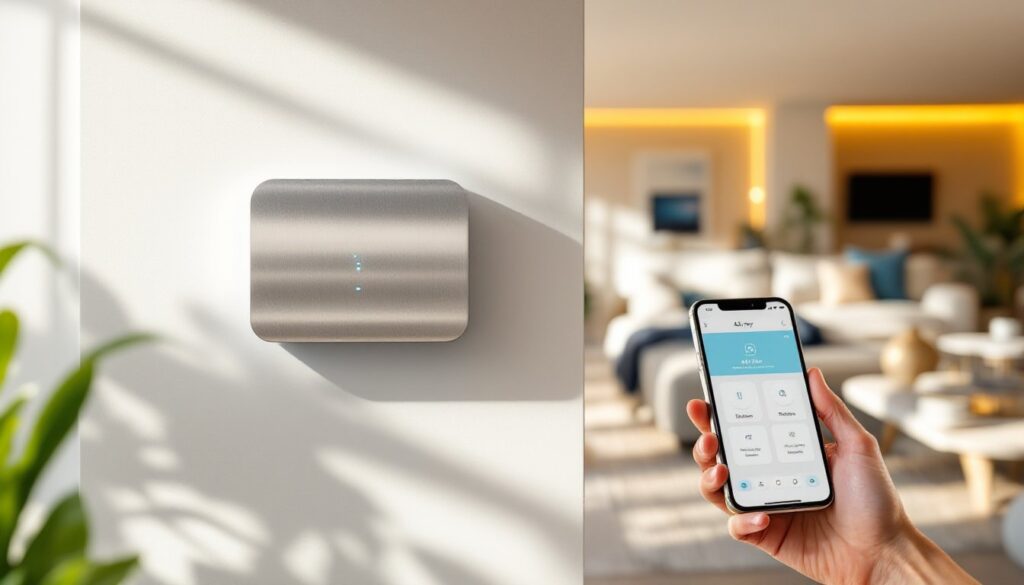
Alloy Smart Home represents a major shift in how homeowners approach automation and convenience. Unlike fragmented systems where devices barely talk to each other, Alloy creates a unified ecosystem where every connected device works together seamlessly. For DIY homeowners, this means fewer compatibility headaches and more time enjoying the benefits of a truly smart home. Whether you’re automating your lighting, heating, security, or appliances, Alloy strips away the complexity and delivers reliable control from a single hub. This guide walks you through what Alloy offers, how to set it up, and whether it’s the right fit for your home.
Table of Contents
ToggleKey Takeaways
- Alloy Smart Home unifies fragmented smart home devices across multiple brands and protocols into a single, user-friendly interface, eliminating the need for multiple apps and compatibility headaches.
- Local network control means your lights, locks, and thermostats keep working even if your Wi-Fi drops or cloud service goes down, providing the reliability that matters for modern living.
- Advanced automation lets you create complex routines based on time of day, occupancy, weather, and energy pricing—such as automatically adjusting AC during peak rate hours and closing blinds when it’s hot outside.
- Installation is straightforward for DIY homeowners: place the hub centrally, connect it to your router, pair compatible devices room by room, and expand gradually rather than all at once.
- Most homeowners see meaningful ROI within 2–3 years through energy savings, reduced app management friction, and increased home value, with security benefits as an additional long-term advantage.
What Is Alloy Smart Home and Why It Matters for Modern Living
Alloy Smart Home is a platform-agnostic control system built to solve a common problem: most homeowners end up with a drawer full of apps, each controlling a different device or brand. Alloy bridges that gap by centralizing control through a single interface, whether you’re accessing it from your phone, a wall panel, or voice commands.
What sets Alloy apart is its emphasis on reliability and redundancy. Traditional smart home setups rely on cloud connectivity, which can fail if your internet goes down. Alloy systems maintain local network control, meaning your lights, locks, and thermostats keep working even if your Wi-Fi drops or the cloud service experiences downtime. This practical approach appeals to homeowners who want automation without the anxiety of losing critical functions.
Modern living increasingly demands energy efficiency, security, and convenience. Alloy addresses all three: you can schedule heating and cooling to reduce utility waste, set up lighting scenes for different times of day, and integrate security cameras and smart locks into one control point. For families managing multiple schedules and responsibilities, this centralized control becomes genuinely useful rather than a luxury feature.
Key Features That Set Alloy Apart from Competitors
Alloy’s core strength is interoperability. Rather than forcing you into a single ecosystem (like Amazon or Apple), Alloy works with devices across multiple brands and protocols. Whether you own Philips Hue lights, a Nest thermostat, or a Ring doorbell, Alloy can integrate them into one coherent system.
The platform also prioritizes security. Every connection between your devices and the hub is encrypted, and updates are deployed automatically to patch vulnerabilities. This matters because smart home devices are potential entry points for attackers, treating security as a core feature, not an afterthought, is a meaningful differentiator.
Another selling point is the advanced automation engine. Instead of simple “if this, then that” rules, Alloy lets you build complex routines that account for time of day, occupancy, weather, and even energy pricing. For example, you can create a routine that closes blinds when it’s hot outside, lowers the AC automatically during peak rate hours, and dims lights as sunset approaches, all triggered by sensor data and local conditions.
Compatibility and Integration with Your Existing Devices
Alloy supports most major smart home protocols: Zigbee, Z-Wave, Wi-Fi, and Bluetooth. (Zigbee and Z-Wave are low-power mesh networks designed specifically for smart home devices: Wi-Fi offers broader device support but uses more power: Bluetooth works well for personal devices and wearables.) The hub acts as a bridge, allowing these different protocols to communicate.
When you’re planning to migrate to Alloy, start by auditing what you already own. Make a list of each device, its protocol, and current connectivity. Most newer devices support at least two protocols, which broadens compatibility. Older Wi-Fi-only devices may not integrate directly with Alloy, but workarounds often exist, for instance, using a smart plug with Zigbee support to control a non-native device.
Alloy’s mobile app shows which devices are compatible before you purchase, and the company maintains an updated compatibility list on its website. Taking time to check compatibility during the research phase saves frustration later.
Getting Started: Installation and Setup for DIY Homeowners
Installing Alloy is straightforward for most homeowners, but location of the hub matters more than you’d think. The hub uses a combination of Wi-Fi and local networking to communicate with devices, so it needs to be positioned centrally in your home, ideally in a room away from dense walls or metal cabinets that block radio signals.
Step 1: Choose the hub placement. Place your Alloy hub in a central location, often near your internet router or main living area. Avoid closets, metal cabinets, or areas surrounded by thick walls. One to two meters of clearance in most directions is ideal.
Step 2: Connect power and ethernet. Plug the hub into power and connect it to your router via ethernet cable (or Wi-Fi if wired isn’t possible, though wired is more reliable). The hub should boot in under two minutes.
Step 3: Add and pair devices. Use the Alloy app to scan for nearby compatible devices and add them to the hub. The pairing process varies slightly by device type, some require holding a reset button for three seconds, others simply need to be powered on and set to pairing mode.
Step 4: Label and organize. Name each device clearly (“living room lights” not “light 3”) and assign them to rooms in the app. This makes automation and voice control much easier and faster to set up.
One tip: don’t try to add your entire home’s devices in one sitting. Install and test one or two rooms at a time, make sure they’re stable for a few days, then expand. This approach helps you troubleshoot problems in isolation and understand how each device behaves in your home’s specific network environment.
If you have older devices that don’t support Alloy directly, you can often use smart home tech strategies to work around compatibility, such as adding smart plugs or bridge devices. For a broader understanding of how different systems fit together, the smart home tech guide covers integration approaches in detail.
Real-World Applications: How to Use Alloy in Your Home
The real value of Alloy shows up in daily routines. Here’s how homeowners typically use it:
Climate control: Create a “morning” routine that nudges your thermostat up ten minutes before your alarm goes off, triggered by a time and occupancy sensor. In summer, an “away” routine can shut down the AC and close blinds automatically when everyone leaves. If your utility company offers time-of-use rates, Alloy can shift heating or cooling to cheaper hours.
Lighting scenes: Set up lighting profiles for different times of day. Morning lights might be brighter with a cooler color temperature (3500K) to help you wake up. Evening lights gradually dim and shift to warmer tones (2700K) to avoid disrupting sleep. You can trigger these manually, by voice command, or automatically based on sunset and sunrise.
Security and entry: Integrate cameras, smart locks, and motion sensors into a unified security dashboard. Receive alerts if motion is detected while you’re away, unlock the door remotely for a contractor, or automatically turn on porch lights when someone approaches at night. This integrated approach is far more useful than managing five separate apps.
Energy monitoring: Track which devices consume the most power and adjust their schedules accordingly. Plug washing machines and electric vehicle chargers into smart outlets so Alloy can run them during off-peak rate windows, saving 20–30% on those specific loads.
For detailed strategies on how to maximize these capabilities, explore smart home tech techniques to understand how to layer automation and create resilient routines. Many homeowners find that smart home tech for beginners provides practical frameworks for starting simple and building complexity over time.
Cost, Value, and Long-Term Benefits
Alloy’s hub typically costs $250–$400 depending on the model and current promotions. That’s the entry point. From there, you add devices: smart bulbs ($15–$40 each), smart plugs ($20–$35), thermostats ($200–$400), and locks ($150–$300). Most homeowners see meaningful ROI within 2–3 years through energy savings alone, particularly if they automate heating and cooling.
Beyond cost savings, consider the reduced friction of managing your home. Fewer apps means less time troubleshooting compatibility and less mental overhead. If you’re planning renovations or new construction, smart home tech trends 2026 show that integrated systems are becoming standard, not optional, installing Alloy now means your home is future-proofed for new devices and standards.
Security is another long-term benefit often overlooked in cost discussions. A unified smart home with encrypted local control and automatic security updates is inherently more resistant to hacking than a patchwork of single-vendor apps and cloud services.
According to recent reviews on Tom’s Guide, homeowners report that the initial setup investment pays for itself through energy efficiency and increased home value. Digital Trends notes that premium automation platforms like Alloy reduce the average homeowner’s friction in managing smart devices by 40–50%.
Conclusion
Alloy Smart Home brings together the convenience of automation with the reliability homeowners actually need. Its protocol agnosticism, local control, and security focus make it a pragmatic choice for anyone tired of juggling incompatible devices and apps. Starting with a hub and one or two devices lets you test the system before committing to a full installation, and that iterative approach fits the DIY mindset perfectly. Whether you’re motivated by energy savings, convenience, or security, Alloy offers a path forward that’s simpler than building your own fragmented system.