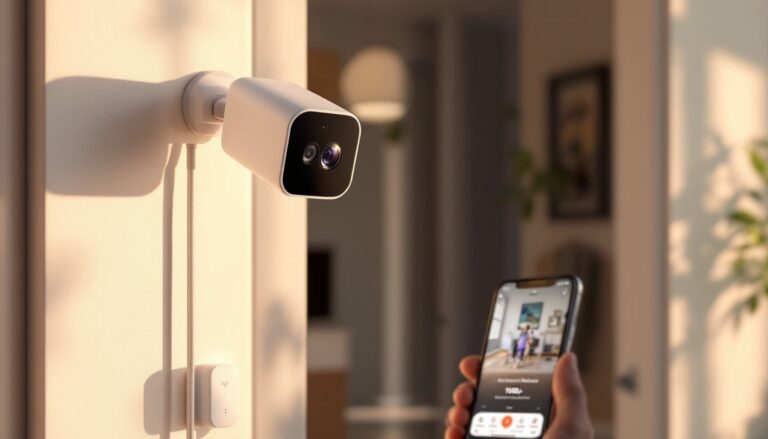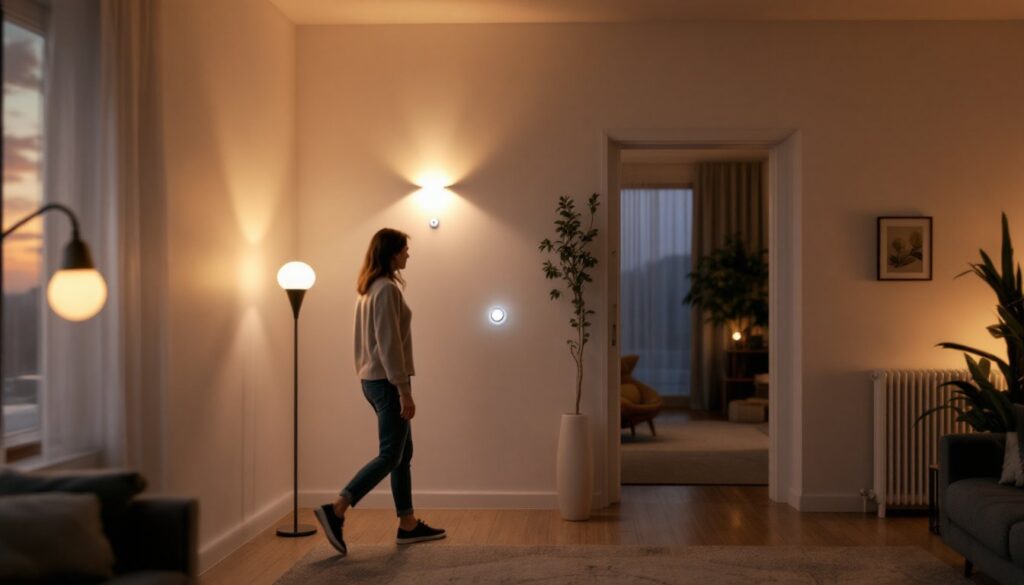
Motion sensors are the behind-the-scenes workhorses of smart homes. They detect movement in a room and trigger automated responses, lights flick on when you walk in, security cameras start recording, thermostats adjust, or notifications ping your phone. A well-placed smart home motion sensor can transform mundane daily routines into seamless automation while boosting security and energy efficiency. Whether you’re retrofitting a single room or building a whole-house system, understanding how motion sensors work and which ones fit your setup is the first step toward genuine home automation that saves time, money, and peace of mind.
Table of Contents
ToggleKey Takeaways
- A smart home motion sensor uses infrared, radar, or dual-technology detection to trigger automated responses like lighting, security cameras, and thermostat adjustments through your smart home hub.
- Detection accuracy and placement matter more than raw range—position sensors 5–6 feet high with clear line of sight, away from heat sources and vents to minimize false alarms.
- Protocol compatibility is non-negotiable; ensure your motion sensor’s WiFi, Zigbee, or Z-Wave protocol matches your existing smart home ecosystem to enable seamless automation chains.
- Motion sensors excel in lighting automation, security surveillance, HVAC control, and pet-friendly automations, but should complement rather than replace traditional locks and professional monitoring.
- Test your motion sensor thoroughly after installation, monitor battery life through your app, and dust the lens every few months to maintain reliable detection performance.
What Is A Smart Home Motion Sensor?
A smart home motion sensor is a battery-powered or plug-in device that uses infrared (PIR), radar, or dual-technology detection to sense movement within its coverage area. When motion is detected, the sensor sends a wireless signal, typically via WiFi, Zigbee, or Z-Wave, to your smart home hub or directly to your phone.
Motion sensors differ from simple mechanical occupancy sensors you might find in commercial buildings. Smart versions don’t just toggle a single light on or off. They’re programmable, can integrate with multiple devices and routines, send alerts, and learn patterns over time. Some advanced models distinguish between pets and humans, reducing false alarms when Fido walks past the sensor.
PIR (passive infrared) sensors detect heat signatures and are the most common residential choice. Radar-based sensors are more sensitive to slow motion and don’t require heat differentiation, making them effective for detecting stationary breathing. Most homeowners will find PIR or dual-technology (PIR + radar) sensors strike the right balance between accuracy, battery life, and cost.
How Motion Sensors Integrate With Your Smart Home Ecosystem
Motion sensors act as triggers in automation chains. When a sensor detects movement, it fires a rule, “If motion detected in hallway, then turn on hallway lights at 30% brightness for 5 minutes.” This is where the real intelligence happens.
Most sensors connect through a hub (a central processor like an Amazon Echo Hub, Apple Home Hub, or a dedicated Zigbee/Z-Wave gateway) or directly to your WiFi if they’re internet-connected. The hub translates the sensor’s signal into commands that activate other smart devices. No hub, no automations, just motion alerts on your phone.
Integration requires compatibility. Smart Home Tech for Beginners walks through matching your sensor protocol (WiFi, Zigbee, Z-Wave) with your existing smart devices. Mixing protocols means buying a bridge or hub that translates between standards. For example, a Zigbee motion sensor needs a Zigbee hub to communicate with Z-Wave smart bulbs: without translation, they won’t talk to each other.
You can also trigger external actions: send a notification when motion is detected in the basement while you’re away, log motion events for security review, or even unlock a door when a recognized user approaches the entryway (if your system supports identity detection).
Key Features To Look For When Choosing A Motion Sensor
When shopping for a motion sensor, narrow your decision by evaluating a handful of critical specs and features.
Detection Range And Accuracy
Detection range is measured in feet and varies by sensor type and environmental conditions. Most residential PIR sensors cover 20–40 feet in a straight line, with a detection angle of 90–110 degrees. Radar sensors often perform better in wider, more complex spaces because they aren’t fooled by sunlight or temperature changes that confuse PIR.
Accuracy matters more than raw range. A sensor rated for 40 feet is worthless if it triggers false alarms when the wind rustles a curtain or a heating system cycles. Quality models filter out these common false triggers. Some offer adjustable sensitivity, so you can dial it down in high-traffic areas (like kitchens near doors) and dial it up for quiet zones (like bedrooms).
Consider mounting height and placement. A sensor aimed across a doorway catches motion differently than one monitoring a living room corner. Heat sources (radiators, vents) positioned near a PIR sensor can cause false positives. Read the product data sheet, not the marketing bullet points, to understand real-world range in your room layout.
Smart Home Compatibility
Compatibility is non-negotiable. Your motion sensor must speak the same protocol as your hub and the devices you want to automate. WiFi is the easiest: connect once, and it joins your network. Zigbee and Z-Wave require a compatible hub, but they consume less power, so batteries last longer (often 1–2 years vs. 6–12 months for WiFi-connected devices).
Check if the sensor works with your ecosystem. Amazon Alexa, Google Home, Apple HomeKit, and Samsung SmartThings each have preferred protocols and supported device lists. A motion sensor that works flawlessly with Alexa might have limited features in HomeKit. How to Get Started with Smart Home Tech reviews compatibility across platforms.
Battery life is also a compatibility factor. If your sensor burns through batteries in 3 months, you’ll spend more on replacements than on the device itself. Check real-world reviews, not manufacturer claims, actual homeowners will tell you how long batteries actually last in their homes.
Popular Applications For Motion Sensors In Your Home
Motion sensors unlock dozens of practical automations. Here are the most popular and effective uses.
Lighting automation. Hallways, bathrooms, and closets are prime candidates. A sensor detects motion and turns on lights automatically, no more fumbling for switches in the dark. Set a timer so lights turn off after 2–5 minutes of no motion, saving energy in rooms you don’t occupy for long.
Security and surveillance. Place a sensor near entry doors to trigger security cameras or send alerts when motion is detected while you’re away. Outdoor motion sensors (weather-sealed, rated for cold and moisture) activate floodlights when someone approaches, which deters intrusions and helps you see visitors clearly.
HVAC and temperature control. Some thermostats integrate with motion sensors to adjust climate settings based on room occupancy. Heat or cool occupied rooms: lower settings in empty ones to save energy. This works best in multi-zone systems with smart vents or multiple thermostats.
Smart appliances and scenes. A motion sensor in your kitchen can trigger a scene that turns on under-cabinet lights, adjusts the fridge brightness, or starts a coffee maker routine in the morning. What Is Smart Home Tech? expands on scene creation.
Pet-friendly automations. Some sensors detect pets separately from people. If your model supports this, you can avoid false alarms that would activate your security system or wake you at night when your dog moves through the house. It’s a small feature with big comfort value for households with animals.
Installation Tips For DIY Homeowners
Installing a motion sensor is straightforward, but placement is everything. A perfectly configured sensor in the wrong spot defeats the purpose.
Placement strategy. Mount the sensor where it has a clear line of sight to the area you want to monitor. Avoid corners or tight spaces where walls block the sensor’s field of view. For hallways, mount 5–6 feet high on a wall or corner: for large rooms, place it centrally or in a corner that overlooks the main activity zone.
Keep sensors away from heat sources (radiators, vents, direct sunlight) if using PIR, these cause false triggers. Likewise, avoid mounting near ceiling fans, HVAC vents, or windows with heavy curtain movement. According to Digital Trends, realistic testing in your actual home is the only way to dial in placement without trial and error.
Wireless connectivity. Most sensors connect via WiFi, Zigbee, or Z-Wave. WiFi sensors are the easiest to set up: download the app, press the pairing button on the sensor, and let it connect to your home network. Make sure your WiFi signal reaches the sensor location: weak signal causes unreliable detection and slow automation.
Zigbee and Z-Wave sensors require a compatible hub. Once your hub is powered and connected to your home network, pairing the sensor is as simple as pressing the pairing button on both devices. The hub does the rest.
Testing and tuning. After installation, test the sensor’s range and sensitivity before relying on it for automations. Walk through the monitored area at different speeds. Does it detect you immediately? Does it miss movement in corners? Adjust sensitivity settings if the model allows it.
Safety and reliability. Smart motion sensors add convenience, but don’t rely solely on them for security. Use them alongside traditional locks, cameras, and professional monitoring for comprehensive protection. Treat automation as a convenience layer, not a replacement for core security measures. Resources like Popular Mechanics offer detailed installation and troubleshooting guidance for home automation hardware.
Multiple sensors and zoning. In larger homes, a single sensor won’t cover all occupied areas. Plan your sensor network in zones, one for hallways, one for the living room, one for bedrooms. This also reduces false alarms because you’re not triggering automations in unoccupied rooms. Smart Home Tech Techniques reviews multi-sensor strategies for whole-home coverage.
Maintenance. Dust the sensor lens every few months. A dusty PIR lens reduces sensitivity and can cause missed motion detection. Check battery levels in your app: most modern sensors send low-battery warnings automatically, but don’t wait until they die to replace them.